Don't Bet on Just One Model: A Complete Guide to Building a Dual-Engine AI Image Generation Workflow
AI Review Lab
May 4, 2026
A team that uses only one AI model for image generation is like hiring only one designer—they can get the job done, but there's a ceiling on their efficiency.
A team that uses only one AI model for image generation is like hiring only one designer—they can get the job done, but there's a ceiling on their efficiency.
Why "Using Only One Model" Is a Problem
Over the past six months, I've helped over a dozen e-commerce teams build AI image generation workflows. There is an almost universal rule: any team that uses only one model will hit a bottleneck within three months.
The bottleneck isn't because the model is bad, but because it's being used in the wrong scenarios.
Teams using only GPT Image 2 complain that batch image generation is too slow and too expensive, taking forever to create scene images for 100 SKUs. Teams using only Nano Banana 2 complain that Chinese poster typography is unstable, the rework rate remains high, and the final draft always feels slightly off.
The problem is not a lack of capability in the models, but rather that a single model cannot cover all stages of e-commerce image production.
From exploring product directions to white-background main images, from lifestyle scenes to promotional posters, from drafts to final versions—each stage has different requirements for precision, speed, and cost. Handing all stages over to one model is like asking the same person to be both the creative director and the assembly line worker; the result is inevitably poor performance on both ends.
This article provides a complete dual-engine workflow solution: when to use which model, how to connect them, how to control costs, and how to avoid common pitfalls.
Understanding the "Job Descriptions" of the Two Models
Before building a workflow, you must clearly define the core positioning of the two models.
Imagine AI image generation as a production line:
GPT Image 2 is the Retoucher. Its core capability is precise control—mask editing allows you to change only the background without touching the product, high-fidelity input ensures your reference image details are not lost, and dense text capabilities make your Chinese poster typography accurate. Its "hourly rate" is more expensive, but its output quality is higher.
Nano Banana 2 is the Batch Operator. Its core capability is scalability—simultaneous input of 14 reference images, fixed-tier pricing, Flash-level speed, and Batch mode. Its "hourly rate" is cheaper, making it suitable for stages that require a lot of repetition.
A retoucher plus a batch operator makes a complete production line. Hiring only one means either the quality won't be high enough or the efficiency won't keep up.
The Four-Stage Workflow: From Selection to Launch

I divide e-commerce image production into four stages, with a clear logic for model selection at each stage.
Stage 1: Direction Exploration and Drafts
The goal of this stage is to quickly validate "whether this scene direction works." It doesn't require high quality; it needs high volume, fast speed, and low cost.
Main Force: Nano Banana 2 Batch Mode.
Use 3-5 different scene descriptions for each SKU, running through the Batch API at 1K resolution. Generating 5 exploration drafts for each of 100 SKUs costs approximately 100 × 5 × $0.034 = $17. At an average of three cents per image, you won't feel bad if it's wrong.
Nano Banana 2 Batch Exploration Draft Workflow:
- Input: Front product photo + brand color palette
- Output: 1K images of 5 different scene directions
- Purpose: Internal review, select the best direction
- Unit Price: ~$0.034/image
- Total Cost for 100 SKUs: ~$17
You can also use GPT Image 2's low tier ($0.008/image) for this stage, but Nano Banana 2's multi-reference image input is more convenient for direction exploration—you can feed scene atmosphere reference images alongside it, and the model's understanding will be more accurate.
Stage 2: White Background Main Images and Standardized Product Shots
The goal of this stage is to generate standardized images that comply with platform specifications, requiring high product precision, clean backgrounds, and accurate proportions.
If you have real product photos: GPT Image 2 + Mask Editing.
Upload the original product image, use a mask to outline the background, and replace it with pure white. The product itself remains completely untouched; colors, labels, and packaging text are all preserved. The medium tier is sufficient, costing about $0.032 per image.
If you don't have high-quality base images: Nano Banana 2 + Multi-Reference Images.
Input casual phone snapshots, official assets, and material close-ups together to generate uniform white-background main images. Batch mode 1K is about $0.034/image.
White Background Main Image Routing Logic:
├── Have HD real photos? → GPT Image 2 mask editing ($0.032/image)
├── Only casual phone shots? → Nano Banana 2 multi-reference ($0.067/image)
├── 100+ SKU batch? → Nano Banana 2 Batch ($0.034/image)
└── Lots of text on the bottle? → Must use GPT Image 2 (high text precision required)
Stage 3: Scene Images and Lifestyle Shots
The goal of this stage is to generate atmospheric scene images that let users imagine "what this product would look like in my life."
Strategy: Nano Banana 2 for volume, GPT Image 2 for quality.
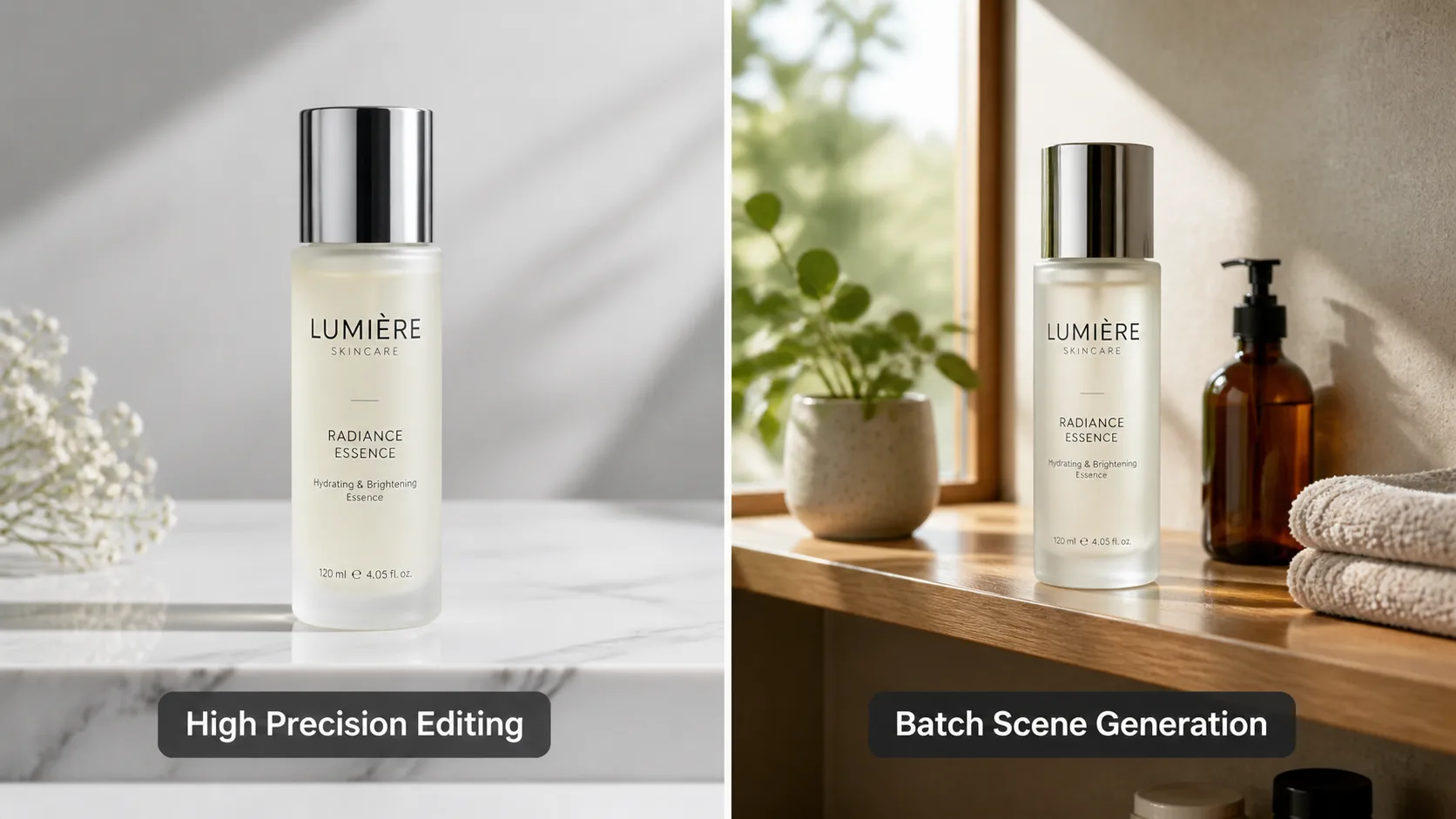
First, use Nano Banana 2 Batch to generate 3-5 scene variants for each SKU, costing about $0.10-$0.17/SKU. After review, select the best direction and use GPT Image 2's mask editing for final refinement—change only the environmental lighting and props, while completely preserving the product itself.
The benefits of this combination:
- Use a cheap model for extensive trial and error during the exploration phase.
- Use a precise model for the final draft once the direction is set.
- Total cost is 40-60% lower than using GPT Image 2 for the entire process.
Scene Image Production Pipeline:
Step 1: Nano Banana 2 Batch × 3-5 variants ($0.10-$0.17/SKU)
Step 2: Internal review, select the best scene direction
Step 3: GPT Image 2 medium mask editing final draft ($0.032/image)
Total Cost: Approx. $0.13-$0.20/SKU (including exploration + final draft)
Stage 4: Promotional Posters and Brand KVs
The goal of this stage is to generate high-information-density marketing materials, requiring precise text, professional typography, and clear hierarchy.
Main Force: GPT Image 2, hands down.
Chinese event posters, promotional banners, infographics, brand KVs—these scenarios have the highest requirements for text rendering, and GPT Image 2's dense text capability is currently the only reliable final draft tool.
The medium tier ($0.032-$0.048/image) is sufficient for most poster scenarios; only hero images and brand KVs require the high tier ($0.125-$0.187/image).
Nano Banana 2's role at this stage is for drafting and direction validation—quickly generating a few typographic directions for review, then handing the chosen direction over to GPT Image 2 for the final draft.
Cost Accounting: Dual-Engine vs. Single-Engine
Let's calculate the costs using a complete 100 SKU e-commerce image project.
Single-Engine Plan A: GPT Image 2 Only
| Stage | Quantity | Unit Price | Cost |
|---|---|---|---|
| Direction Exploration Drafts | 500 images (low) | $0.008 | $4.00 |
| White Background Main Images | 100 images (medium) | $0.032 | $3.20 |
| Scene Images | 300 images (medium) | $0.032 | $9.60 |
| Promotional Posters | 20 images (high) | $0.125 | $2.50 |
| Total | 920 images | $19.30 |
Single-Engine Plan B: Nano Banana 2 Only
| Stage | Quantity | Unit Price | Cost |
|---|---|---|---|
| Direction Exploration Drafts | 500 images (1K Batch) | $0.034 | $17.00 |
| White Background Main Images | 100 images (1K Standard) | $0.067 | $6.70 |
| Scene Images | 300 images (1K Standard) | $0.067 | $20.10 |
| Promotional Posters | 20 images (2K Standard) | $0.101 | $2.02 |
| Total | 920 images | $45.82 |
Dual-Engine Plan
| Stage | Model | Quantity | Unit Price | Cost |
|---|---|---|---|---|
| Direction Exploration | Nano 2 Batch | 500 images | $0.034 | $17.00 |
| White BG Main Images | GPT 2 medium | 100 images | $0.032 | $3.20 |
| Scene Exploration | Nano 2 Batch | 300 images | $0.034 | $10.20 |
| Scene Final Drafts | GPT 2 medium | 100 images | $0.032 | $3.20 |
| Promotional Posters | GPT 2 high | 20 images | $0.125 | $2.50 |
| Total | 1,020 images | $36.10 |
The dual-engine plan is $16.80 more expensive than using GPT Image 2 exclusively, but it produces 100 more scene exploration images. It is $9.72 cheaper than using Nano Banana 2 exclusively, and the quality of the posters and main images is higher.
The real advantage lies in the rework rate. The rework rate for Chinese posters using Nano Banana 2 exclusively might be 30-40%, pushing the actual cost over $50. The dual-engine plan keeps the rework rate at 10-15%, making the total cost much more controllable.
Five Common Pitfalls to Avoid
Pitfall 1: Prompts Are Not Interchangeable Between Models
GPT Image 2 and Nano Banana 2 respond differently to prompts. GPT Image 2 is better at understanding natural language descriptions, while Nano Banana 2 relies more on structured reference image declarations.
Solution: Maintain separate prompt template libraries for each model. For the same scene direction, prepare two sets of prompts—one using natural language descriptions for GPT Image 2, and one using structured reference image declarations for Nano Banana 2.
Pitfall 2: Style Consistency Easily Breaks
Using Nano Banana 2 for exploration and GPT Image 2 for the final draft carries the risk of style inconsistency—the exploration draft has one tone, and the final draft has another.
Solution: In the final draft stage, feed the Nano Banana 2 exploration draft to GPT Image 2 as a reference image. This way, the final draft will inherit the style and tone of the exploration draft while utilizing GPT Image 2's precision for enhancement.
Pitfall 3: Ignoring Data Security Differences
As mentioned earlier, content generated via Google's free tier may be used for model training. If your exploration drafts involve unreleased products, running Nano Banana 2 on the free tier means handing trade secrets to Google.
Solution: Always use the paid API for commercial content; never use the free tier. This rule applies to all models.
Pitfall 4: Incorrect Time Expectations for Batch Mode
Neither model's Batch API returns results instantly. GPT Image 2's Batch usually takes anywhere from a few minutes to several tens of minutes, and Nano Banana 2's Batch is similar.
Solution: Schedule Batch tasks during off-peak hours (e.g., submit them at night and collect the results the next morning). Don't start batch generation right before a deadline.
Pitfall 5: Failing to Establish Quality Checkpoints
A dual-engine workflow has more stages. If you don't set up quality checkpoints at each stage, low-quality intermediate outputs will flow all the way to the final draft, wasting subsequent refinement costs.
Solution: Set up manual reviews at transition points between stages—review scene selection after direction exploration, review product precision after white-background main images, and review style consistency after scene images. It's better to spend an extra half hour reviewing than to waste $5 on rework costs.
Implementation Plans by Team Size
Small Teams (1-3 People)
No complex pipelines needed. Suggested division of labor:
- Daily Product Images: Use Nano Banana 2 Standard to generate final images directly; good enough is sufficient.
- High-Value Single Products and Posters: Use GPT Image 2 medium for refinement.
- Skip Batch Mode: With few SKUs, asynchronous batch processing isn't necessary; direct synchronous calls are more convenient.
Keep the monthly budget around $30-$50, covering the basic image needs of 50-100 SKUs.
Medium Teams (5-15 People)
Standardized processes are required. Suggested setup:
- Build a Prompt Template Library: Categorize by product type and image type, labeling each template with the applicable model.
- Use Batch for the Exploration Phase: Submit Batch tasks centrally once a week and review them the next day.
- Final Draft Routing: Route white-background main images and scene images to GPT Image 2; route lightweight social media images to Nano Banana 2.
- Establish Quality Check SOPs: Define clear passing criteria for each stage.
Monthly budget $100-$200, covering a complete image suite for 200-500 SKUs.
Large Teams (20+ People)
Systematic integration is needed. Suggested planning:
- Integrate into a Unified Image Management Platform: Connect APIs for both models for unified distribution and retrieval.
- Build Automated Pipelines by Product Category: Default clothing to a Nano Banana 2 full-process, cosmetics to a GPT Image 2 full-process, and mix engines for other categories.
- Create a Cost Monitoring Dashboard: Track call volume, cost, and rework rate for each model in real time.
- Regularly Optimize the Prompt Library: Review monthly and phase out prompts with high rework rates.
Monthly budget $500+, covering scalable production across all categories and image types.
Summary in One Sentence
Use Nano Banana 2 for volume—exploration, batch processing, and lightweight scenes. Use GPT Image 2 for quality—refinement, text posters, and high-value single products. The two models are not competitors; they represent a division of labor.
The smartest teams don't ask "Which one should we choose?" but rather "Which one should we use for this specific stage?"
Want to experience the synergy of the two models yourself? You can run a dual-engine workflow on the same product at gpt-image2ai.net—first use Nano Banana 2 to generate 5 scene directions, then use GPT Image 2 for the refined final draft. You'll immediately feel the efficiency advantage of this combination.